AI Red Hair Filter
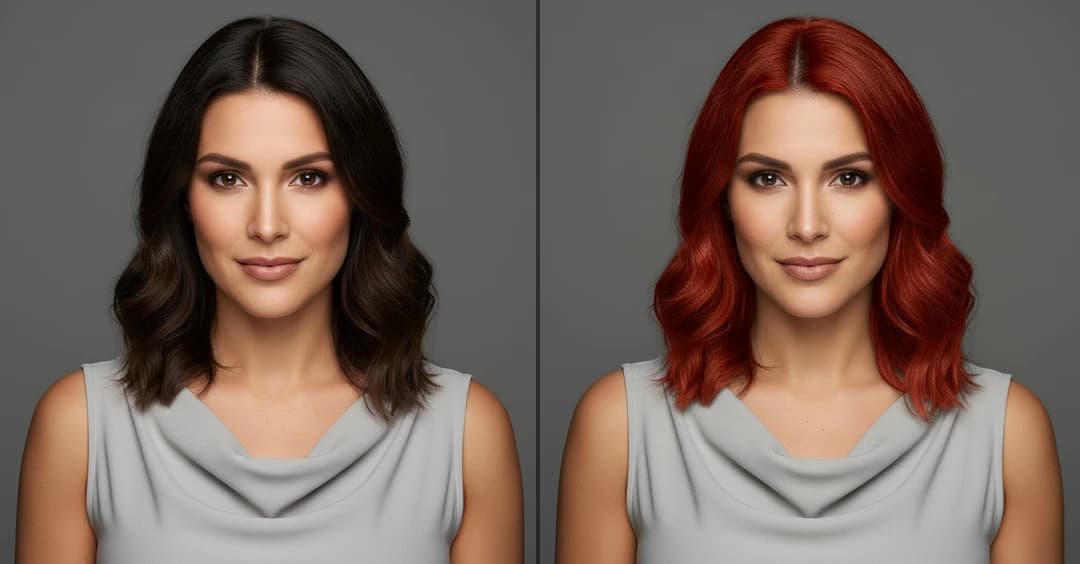
AI Red Hair Filter changes your hair color to red instantly. See a realistic, natural-looking result with no dye or photo editing.
What Results to Expect


How Does It Work?
Step 1
Upload Image
Start by uploading a clear photo that you want to apply the red hair filter to. Must use a high-quality image where your hair is clearly visible.
Step 2
Apply AI Red Hair Filter
Click the “Generate” button. The AI will instantly change your hair color to a vibrant red in the photo.
Step 3
Download & Share
Once your AI Red Hair Filter is ready, you can download it to your device or share it with friends.