AI Image Inpainting
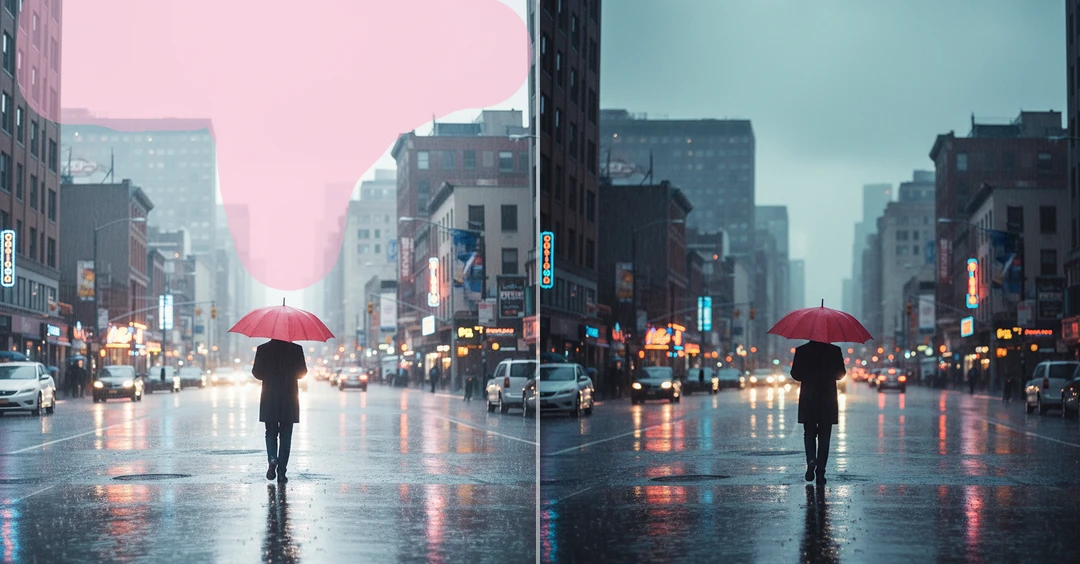
AI Image Inpainting helps you recreate and edit selected parts of an image. Easily remove, replace, or add new elements like objects, text, or people without manual editing.
How to Use AI Image Inpainting?
Upload Your Image
Upload the image you want to edit using the AI Image Inpainting. You can choose any photo where you want to remove, replace, or add new elements.
Select the Area Using Brush
Use the brush to highlight the specific part of the image you want to edit. This helps the AI understand exactly which area should be removed, replaced, or modified.
Generate & Download Image
Click on generate to AI process the selected area. It will automatically recreate the marked section with matching textures and lighting. Once the editing is complete, you can download the final image.
Key Features of AI Image Inpainting
Targeted Image Area Editing
AI Image Inpainting allows you to edit only the selected part of your image. You can brush the exact area you want to fix or modify, and the AI will focus only on that section. This makes editing more accurate and prevents unwanted changes to the original image.
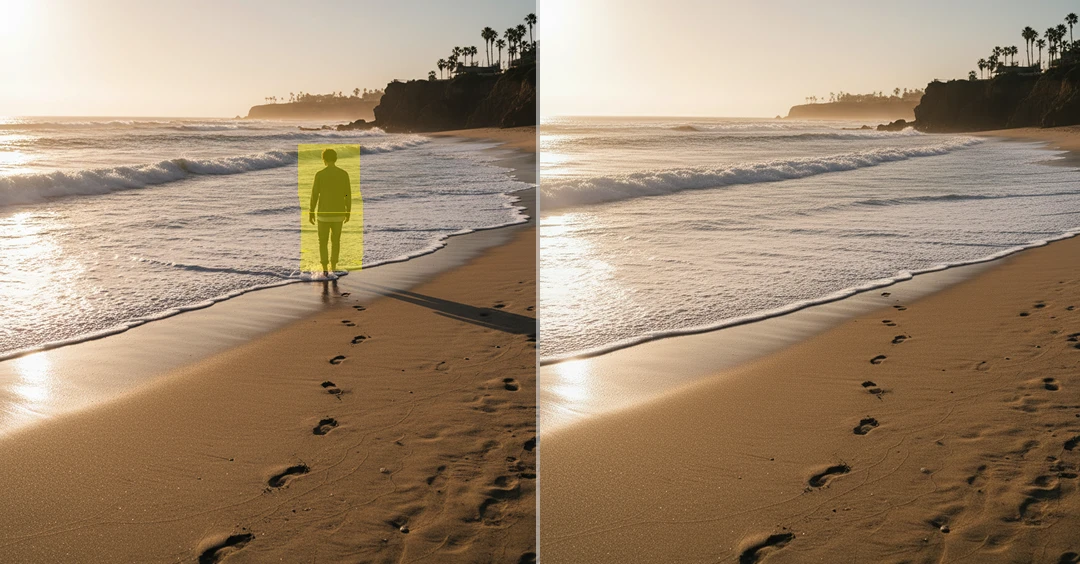
Object Removal & Replacement
You can easily remove unwanted objects like people, text, logos, or background items from your image. AI automatically fills the removed area with matching background details. You can also replace the selected part with new content that blends naturally with the surrounding scene.
New Object Addition
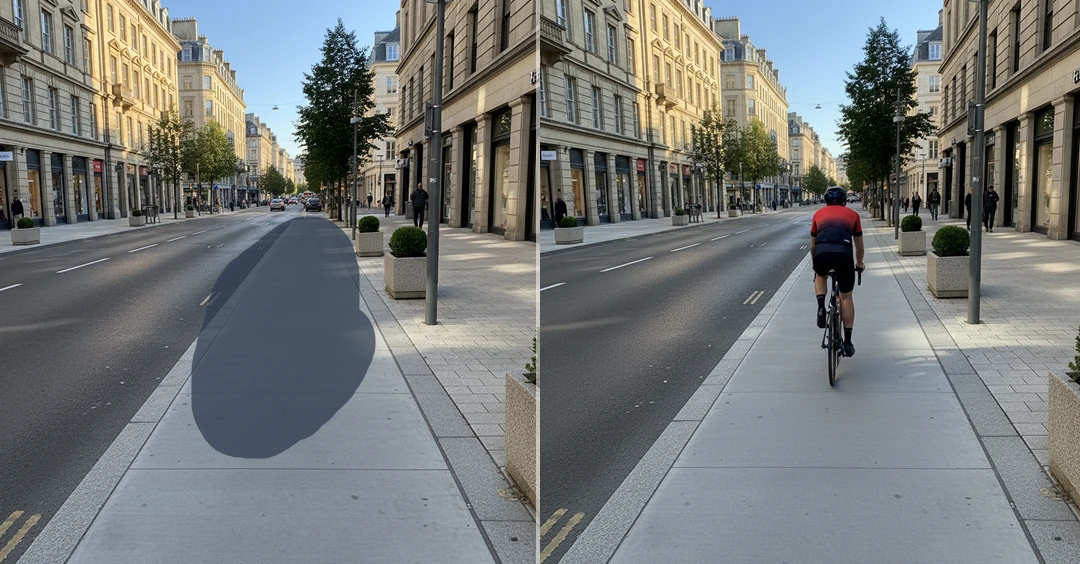
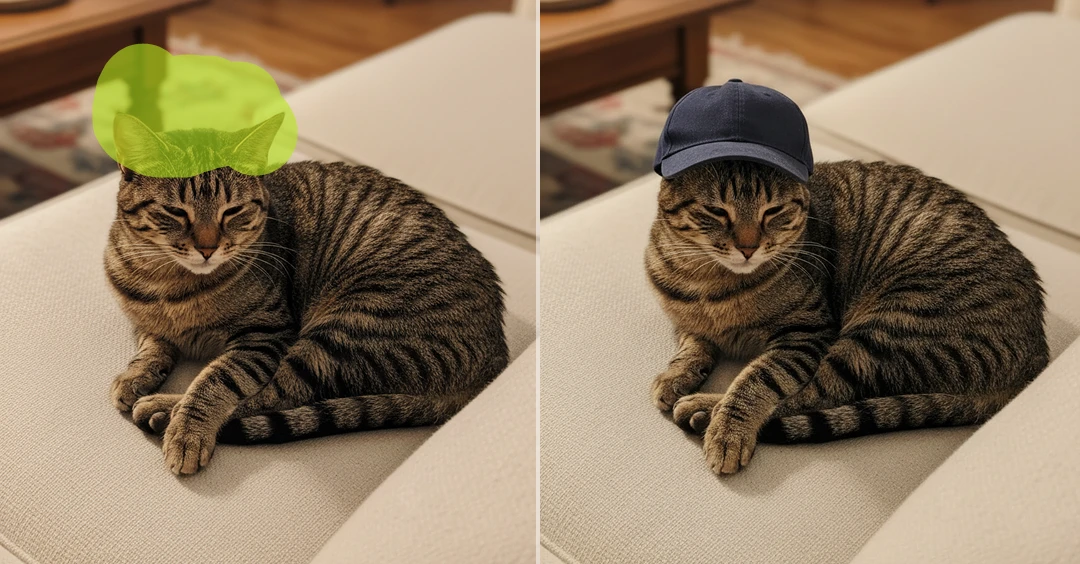
AI inpainting lets you add new objects or visual elements into selected areas of your image. The AI adjusts the added content to match the surrounding textures, colors, and lighting so that it looks like a natural part of the original image.
Lighting & Shadow Consistency
When you edit or add new elements, the AI automatically adjusts the lighting, brightness, and shadows of the edited area. This ensures the changes match the original image and look realistic without any visible editing marks.