
Kling 2.6 Video With Audio
Kling 2.6 enables you to create videos with audio using advanced text-to-video and image-to-video technology. With improved motion control, expanded aspect ratios, and built-in sound generation, it provides a simple way to generate polished cinematic content for any project.
Upload Image
Explore More Kling AI Models
Key Features of Kling 2.6
Kling 2.6 Native Audio Model
•Text-to-Audio-Visual:
Generate complete audio-visual videos directly from text prompts. Simply describe the scene, actions, and sounds you want, and Kling 2.6 produces synchronized visuals with voiceovers, ambient sounds, and effects in a single pass.•Image-to-Audio-Visual:
Bring static images to life with motion and sound. Upload an image, and the system generates dynamic video content with natural voiceovers, sound effects, and ambient audio, creating immersive results from a single image.•Native Audio Toggle:
The Native Audio feature lets you choose if your video should have sound or be silent. Turn it on to get fully synced voice, sound effects, and background audio with your visuals. Turn it off to create videos without sound.•Create Sound Without Video:
Produce standalone audio content without generating video. Input text to create voiceovers or sound effects, or extract audio from existing videos, enabling pure audio production for podcasts, presentations, or other projects.•Supports Various Sound Types:
Kling 2.6 handles diverse audio types, including narration, dialogue, multi-character interactions, singing/rap, ambient sounds, object/action sound effects, and mixed audio. This ensures highly versatile and immersive storytelling.
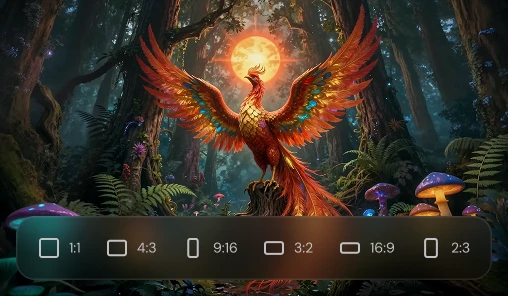
Parameter Settings
The model provides flexible parameter controls to tailor video generation. Adjust video duration (e.g., 5s or 10s), aspect ratios (16:9, 1:1, 9:16), and output quantity (up to 4 videos at once). These settings allow creators to manage pacing, composition, and multiple outputs efficiently.
Customizable Video Settings and Parameters
Beyond basic controls, Kling 2.6 lets users fine-tune video attributes, including scene composition, motion intensity, pacing, and audio-visual synchronization. This ensures that generated content meets specific creative requirements and maintains professional quality.
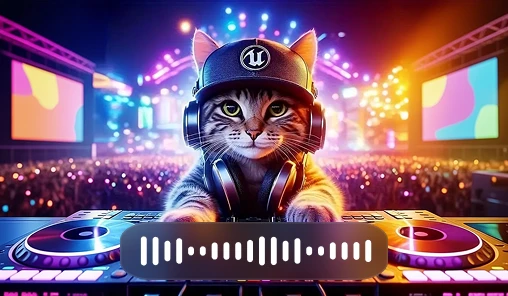

Multiple Video Output
Kling 2.6 supports batch generation, allowing you to produce up to four videos simultaneously. This is useful for experimenting with variations, testing different prompts, or quickly creating multiple versions for social media, marketing, or storytelling.
How to Use Kling 2.6?
Input Your Text or Image
Enter a text prompt or upload an image to create an AI-generated video with Kling 2.6, complete with synchronized audio and visuals.
Customize Audio & Video Settings
Adjust parameters like video duration, aspect ratio, motion, and audio options, or toggle Native Audio for full sound integration.
Generate Your Audio-Visual Video
Click "Generate" and watch Kling 2.6 produce a polished, immersive video with voiceovers, sound effects, and ambient audio.
Preview, Download & Share
Preview your finished video, save it to your device, or share it directly on social media platforms.