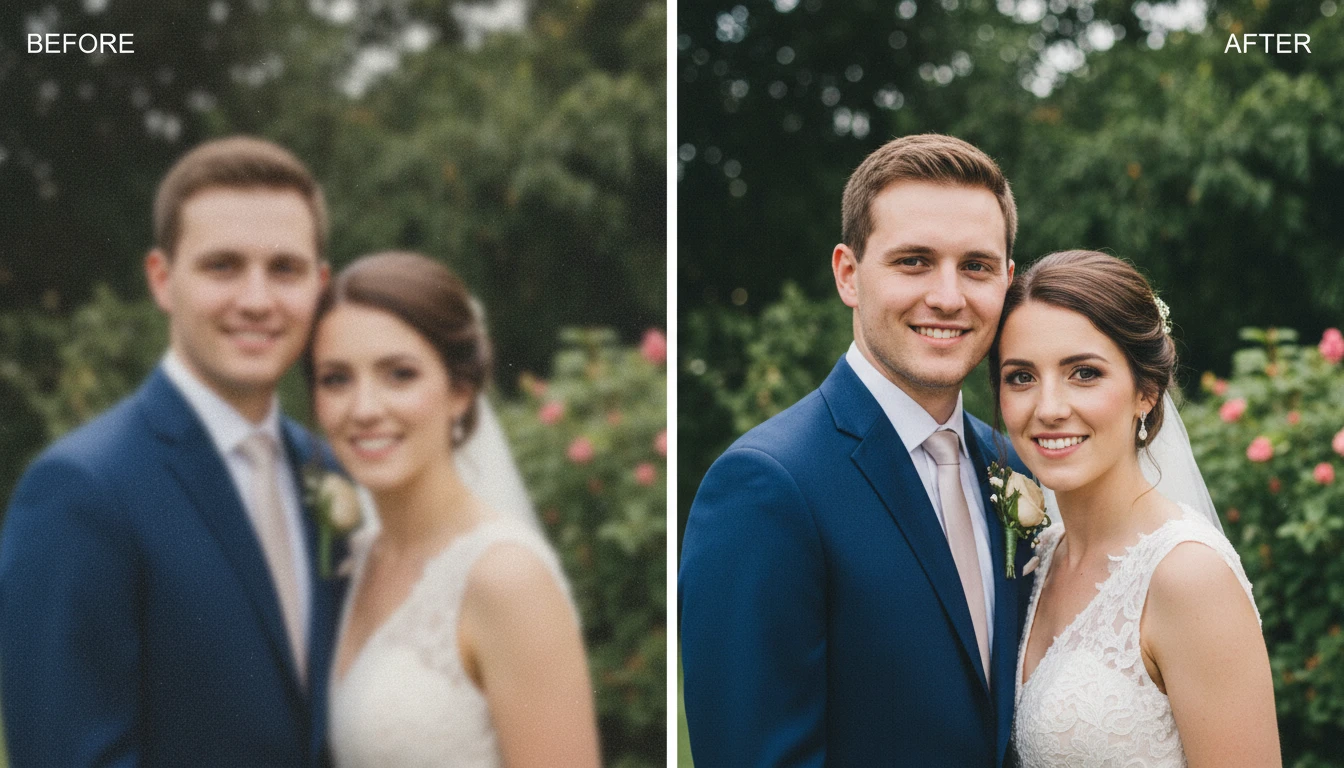
Restore Old Photos Online
Restore old photos online easily with AI. Upload damaged or faded photos and AI repair scratches, remove dust, improve faces, and restore colors.
How to Restore Old Photos?
Upload Your Old Photo
Start by uploading your old or damaged photo from your device. You can upload scanned pictures, vintage photographs, or faded family images that need restoration.
AI Restores the Photo
Click the Generate button. The AI automatically detects scratches, dust, blur, and faded colors in the image and repairs the damage while improving overall clarity.
Download the Restored Photo
Once the restoration process is complete, download the restored photo in high quality. You can keep it for personal memories or share it with friends and family.
Key Features of Restore Old Photos
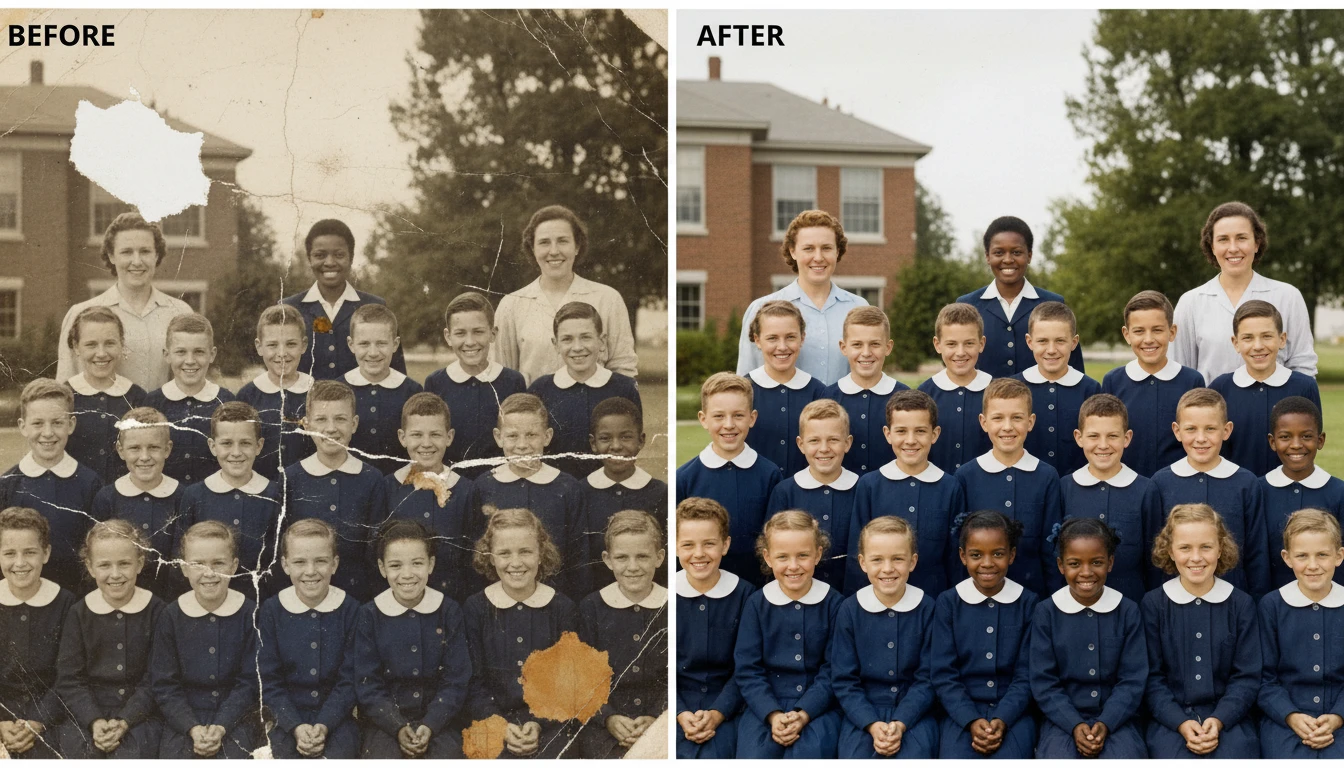
Scratch & Damage Repair
Old photos often contain scratches, cracks, stains, or dust marks. AI detects these damaged areas and rebuilds the missing details so the image looks clean and restored.
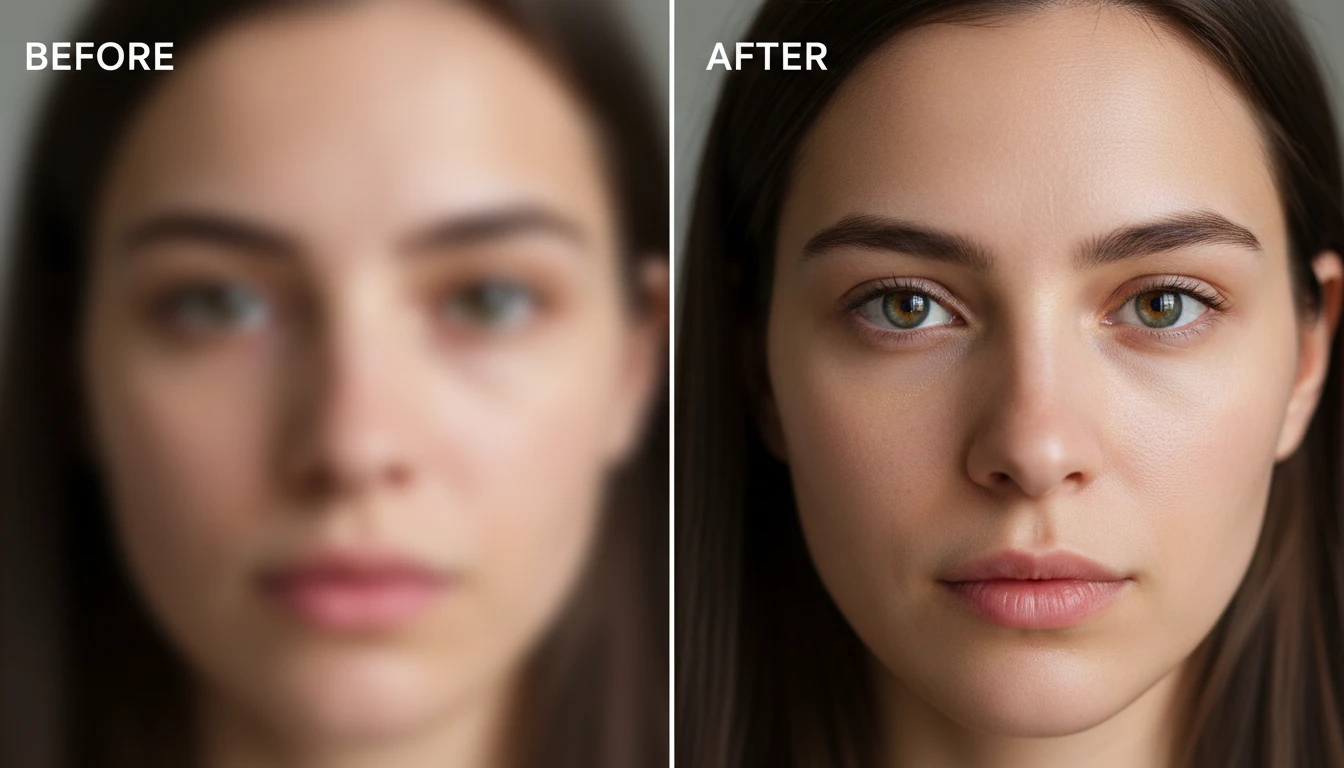
AI Face Enhancement
Faces in old photos can appear blurry or unclear. AI improves facial features by sharpening details, enhancing eyes, and making portraits look more natural and recognizable.
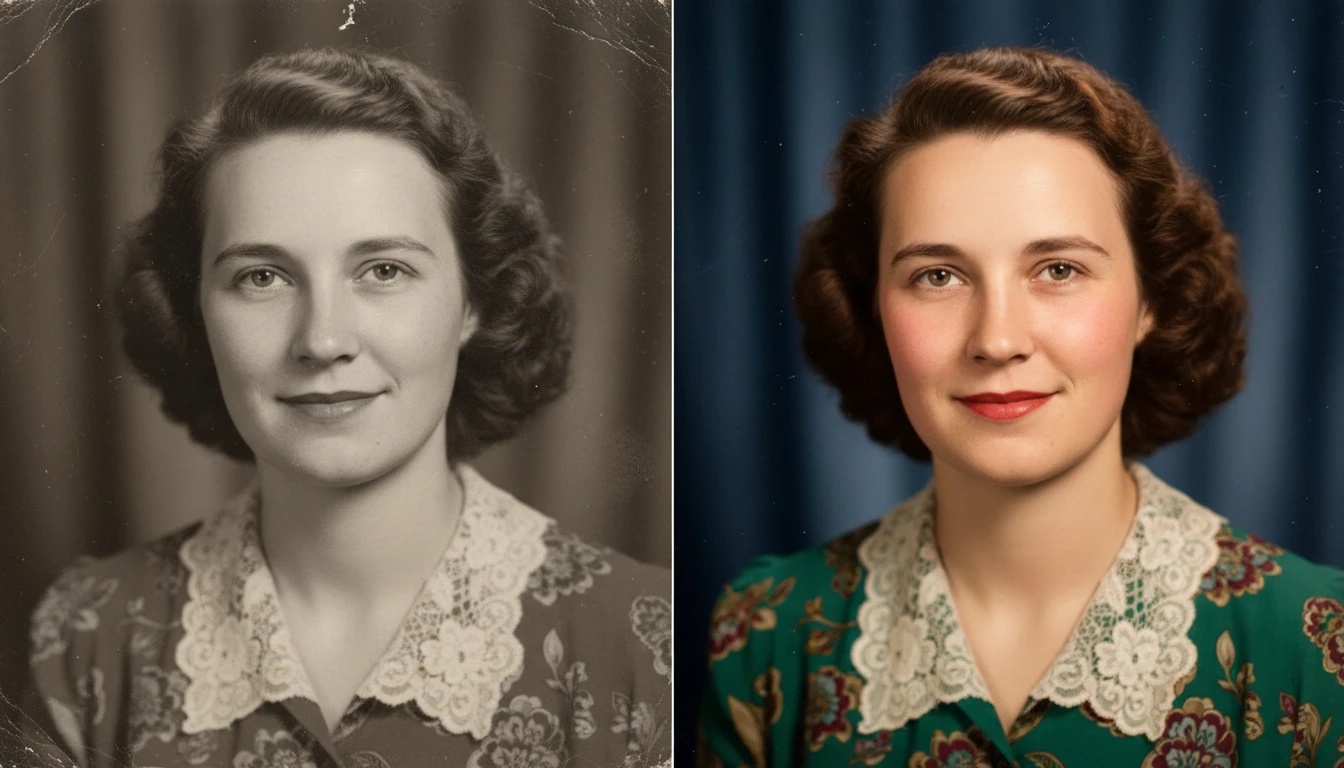
Color Restoration
Over time, photos lose their original colors and appear faded. AI restores colors, improves brightness and contrast, and makes the image look vibrant and realistic again.
Blur & Noise Reduction
Old or scanned photos often contain blur or grain. AI reduces noise and sharpens the image so the photo becomes clearer and more detailed.